 Action Footage Player
Free player for action-camera footage · for people who shoot a lot
Hours of footage. Find the good minutes tonight.
Back with a card full of clips? Get to the few minutes worth keeping, and send your friends one, the same evening.
Back from the trip
Great footage. Getting to it is the hard part.
A week away fills a card or two with hundreds of clips, most of it the waiting between the good parts. And everything you'd use to go through them makes it harder.
-
Grey everywhere
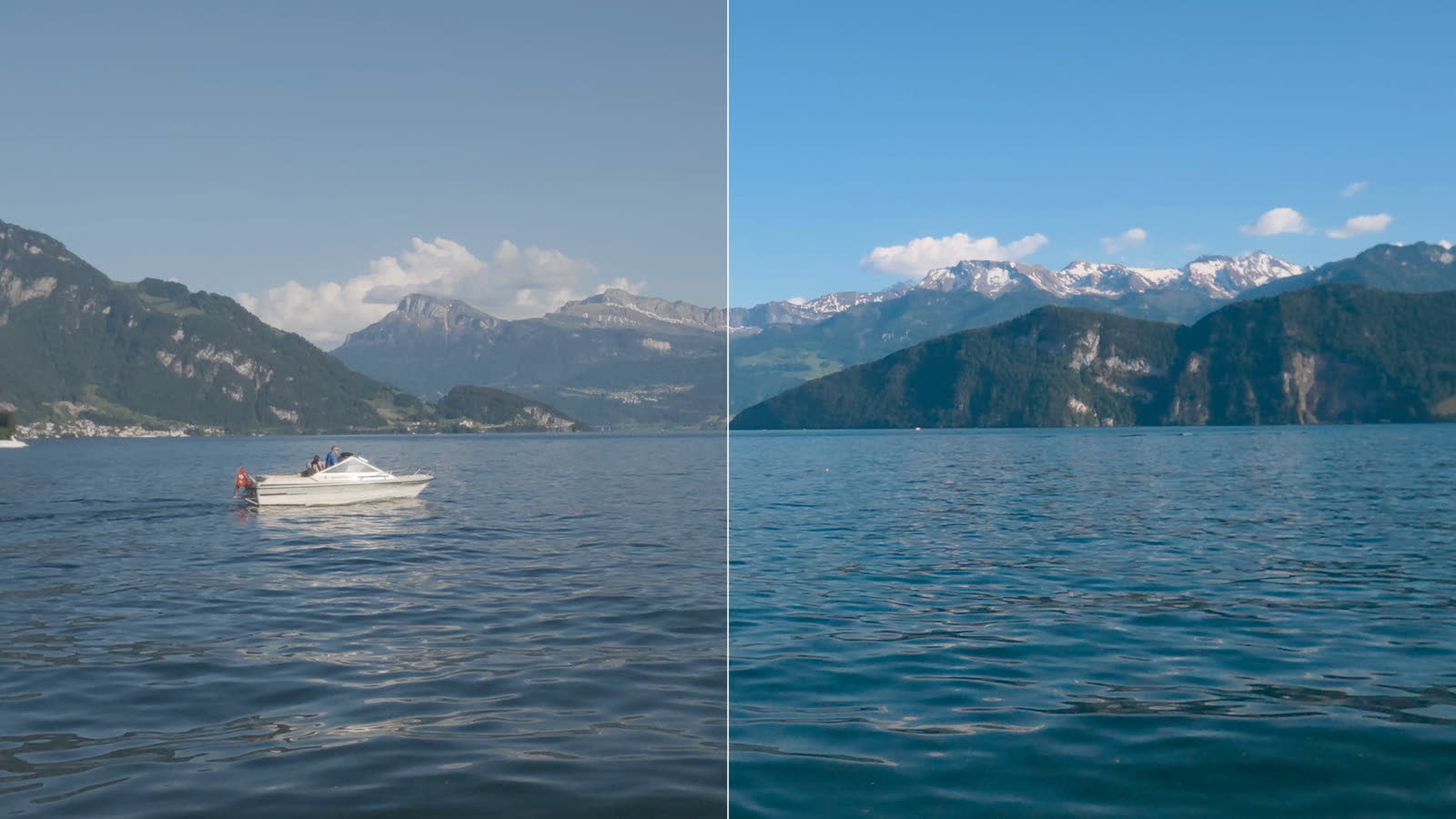
Shot in log? Every clip is flat and grey in Finder, in Quick Look and in your editor, so the thumbnails can't tell you which one was good.
Shot in log? Every clip is flat and grey in File Explorer, in its preview pane (Alt+P) and in your editor, so the thumbnails can't tell you which one was good.
-
Shaky until it's rendered
Shot with the camera's stabilization off? The clip is hard to watch until you stabilize it in another app and wait for the render.
-
Marks that go nowhere
You pressed the highlight button at the right second. The camera wrote it into the file, and no editor imports it.
-
Nowhere to sort it
There's no media manager left for this footage, so choosing happens inside an editor, one project at a time.
Meanwhile your friends want the clip tonight, not in three weeks.
With Action Footage Player
Double-click a clip. It already looks right.
Straight from the card, with nothing to import, copy or render first.
-
In color, even in log
D-Log M from the Osmo Action 6 and Osmo 360, and GP-Log from the HERO12 Black (firmware 1.20 or later) and HERO13 Black, play in color and HDR, with no grading. Other log clips, 10-bit I-Log included, take one key: Ctrl+l. Normal clips play as usual.
-
Steady as it plays
Shot with stabilization off? The clip plays steady, from the motion the camera recorded, while you watch.
-
Your marks, on the seek bar
The highlights you marked with the camera's button are there, and one key jumps to the next.
Already grade your log? Use it as the step between the card and your editor: the same color and stabilization, exported in one pass. All features
Moments
Keep the best minutes as files you can see.
Mark a part and press k: it becomes a moment, a small video in the trip's _Moments folder that Finder and Quick Look showFile Explorer and its preview pane show in color. Opened in the player, it plays that part of the original, in full quality. The first time, you pick the trip's folder in the side panel's Project tab: Initialize the project here.
Marks of your own
Saw something the button missed? M adds a mark where you are. M on a mark removes it.
Set aside, or favorite K Coming soon
X sets a clip aside as not interesting. K makes it a favorite, with a green Favorite tag in Finder.
X sets a clip aside as not interesting. K makes it a favorite, with 5 stars in File Explorer (a rating of 4 stars or more counts as a favorite).
The whole trip at a glance
From the side panel's Project tab, the player fills a _Clips folder with a flip-book in color for each clip, instead of a wall of grey thumbnails.
No library to look after
Make subfolders to sort your moments; they're yours. Delete a file, and that moment is gone.
- Dolomites 2026your trip's folder: the project
- Day 1the footage, with your marks beside each clip
- _Moments
- Summit ridge.afplink.mp4
- 2026-07-14 16.02.11.afplink.mp4a moment you didn't name
- Bike parka subfolder of your own
- _Clipsa flip-book in color for each clip
- _Exportswhat you exported
- _ActionFootagePlayerthe player's own notes
See it
Real footage, real screens.
Frames and screenshots from the player itself, not drawings.
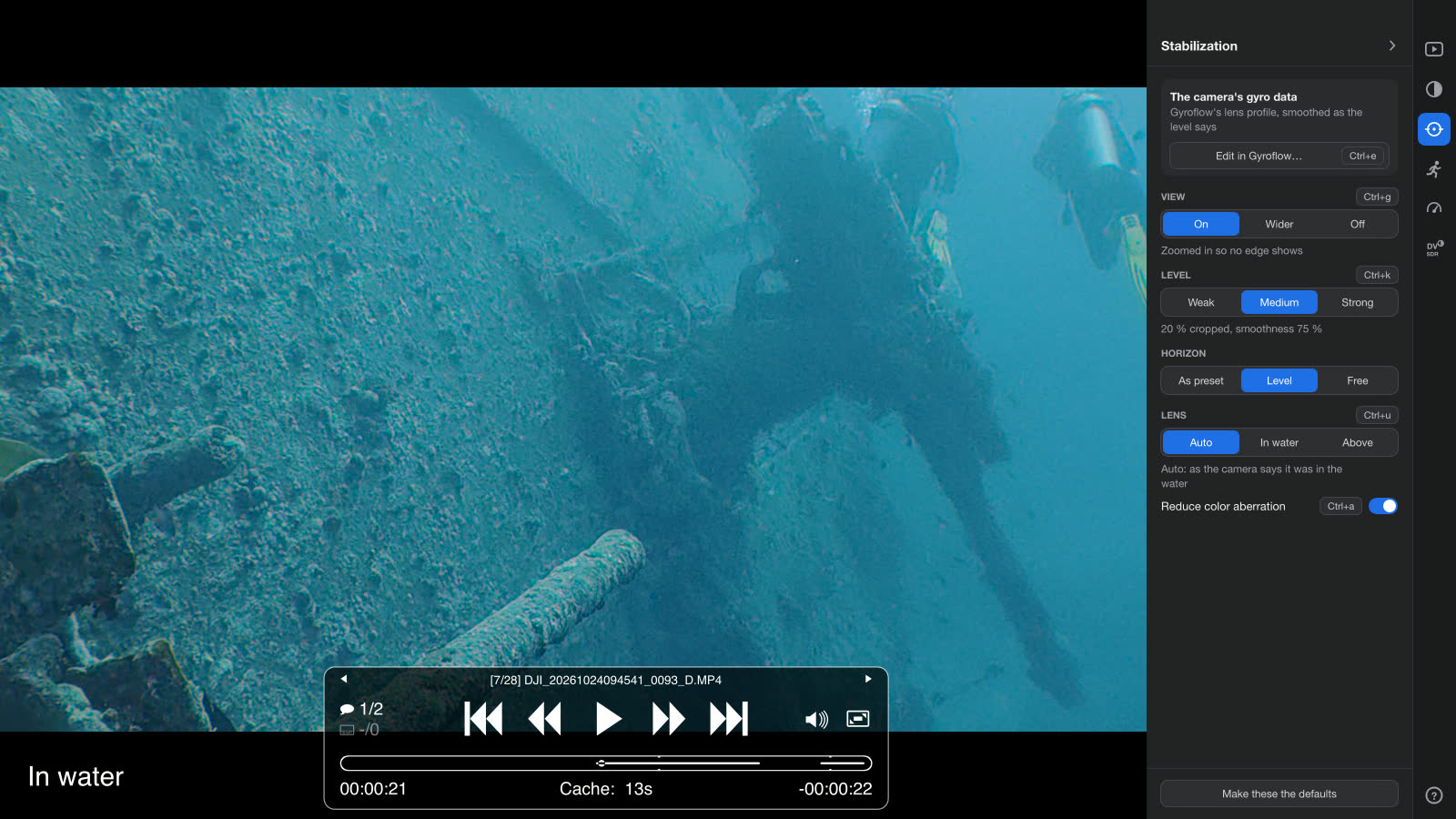
_Moments and _Clips folders in Finder, in color.Your _Moments and _Clips folders in File Explorer, in color.- Log in color
- D-Log M from DJI, GP-Log and GP-Log2 from GoPro, 10-bit I-Log from Insta360 (by hand, Ctrl+l)
- Highlight marks
- GoPro HERO5 and later; DJI Osmo Action 4, Action 5 Pro and Action 6
- Steady as it plays
- DJI with EIS off and the Wide FOV, GoPro with HyperSmooth off, Insta360 with FlowState off
Free and open source (GPL-3.0) · No account · Nothing changes your originals unless you ask · Stabilization by Gyroflow's engine
Questions
Before you download.
Do I need to know how to grade or edit?
No. Log plays in color as it is, and a part you mark exports with one key. If you do grade and edit, your editor gets the original files, with your moments and marks on them.
Do I need to set anything on the camera?
For color, shoot in the camera's log mode, or don't: normal clips play as usual. For steady playback, turn the camera's own stabilization off (EIS on DJI, HyperSmooth on GoPro, FlowState on Insta360); the camera then records the motion the player steadies it with. DJI cameras record it only with the Wide field of view. Copy the clips straight off the card: an app that exports or trims them drops what the player reads.
Does it change my original files?
Only if you ask. To cut a spoiled part out of a clip (Ctrl+x), the player rewrites the clip without it, with nothing re-encoded, and the original goes to the Trash. Otherwise your originals stay as they are: moments, clip previews and exports are new files of their own, and your marks a small file beside the clip.
Where do my moments go? And on a locked card?
The _Moments, _Clips and _Exports folders go in the project folder: the trip's folder, which you pick once in the side panel's Project tab (Initialize the project here). It can be the clips' own folder or one above it. On a locked card or a read-only share, the player asks for a name and keeps them in its own folder in Documents. Coming soon
Mac or Windows?
The Mac app, for Apple Silicon, is where it's used every day. The Windows app works too, but it's an alpha with little testing so far.
Is it free?
Yes, open source under GPL-3.0. Nothing is locked, and there is no account to make.
Try it
Plug in a card, double-click a clip.
Free, no account, and nothing changes your footage unless you ask.
Everything it does
Every key and option, the looks, the stabilization's settings, and the cameras one by one.
All featuresSend a clip from your camera
A few seconds straight from the card help the player read your camera's log, motion and highlights right.
Open an issue on GitHubThe project on GitHub
Open source: the code, the releases, and a place to ask questions or suggest what comes next.
The project on GitHub